V-CAM & V-CUT Control Software – European-Developed CNC System for Fibre Laser Cutting


Intuitive Touchscreen Laser Cutting Interface
Advanced Laser Motion Control Algorithms
Smart Pierce & Cut Optimisation
Real-Time Monitoring & Diagnostics
Seamless CAD/CAM File Handling
Consistent User Experience Across All Vector Lasers
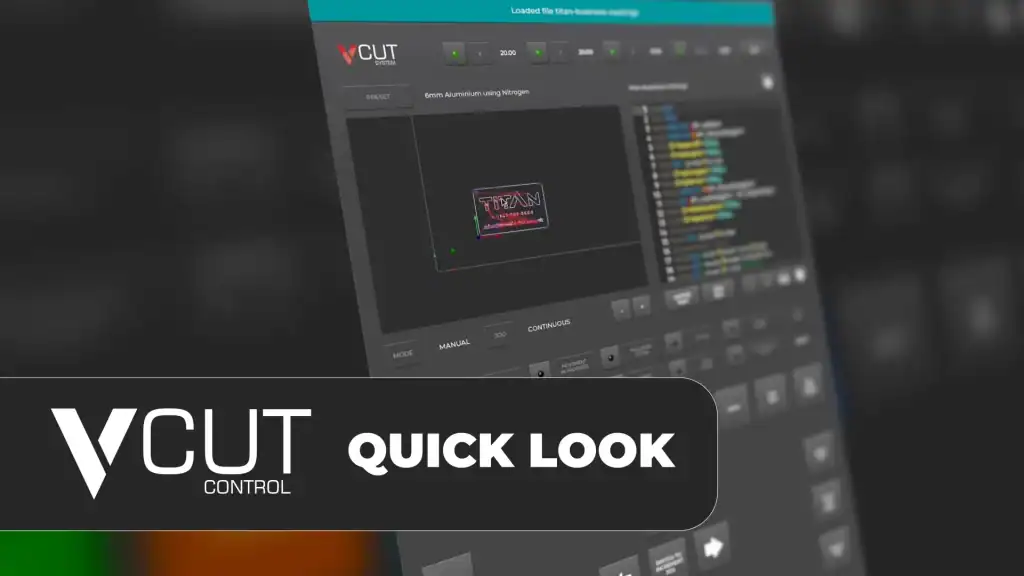
What is V-CUT?
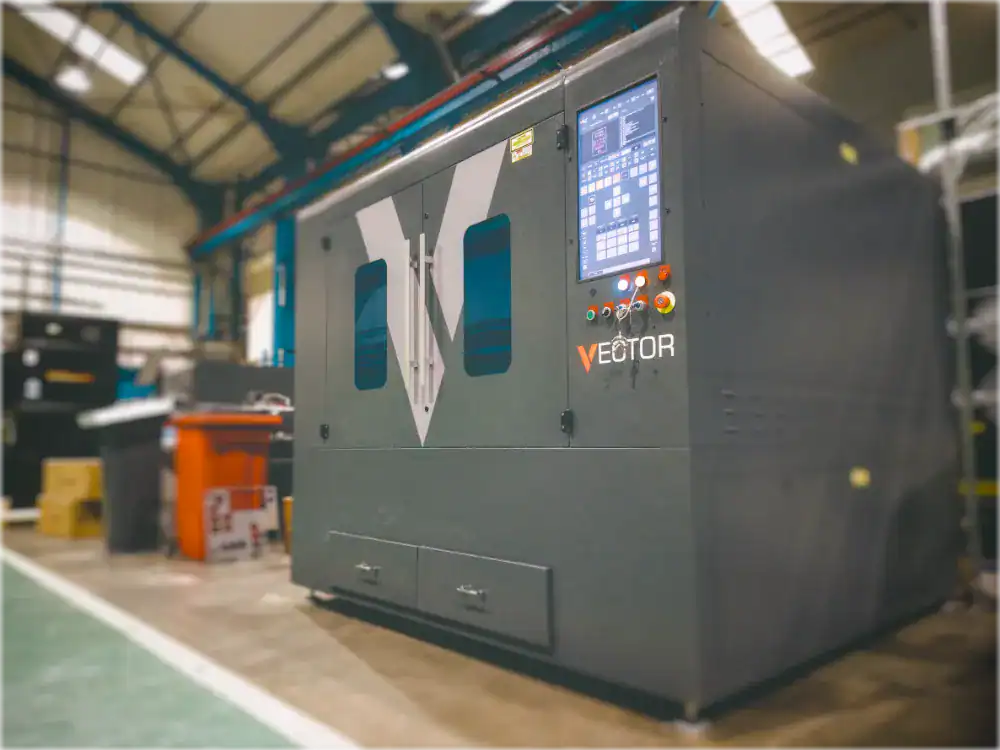
A modern, UK-developed touchscreen CNC control system used to operate Vector fibre lasers.
V-CUT handles:
-
Machine movement
-
Cutting parameters
-
Motion control
-
Real-time monitoring
-
Diagnostics & remote support
-
Material/technology databases
V-CUT is the operational “brain” of your fibre laser machine, controlling your machine operation and settings.
What is V-CAM?
V-CAM (European Developed) is used after a part has been designed and focuses on preparing that design for laser cutting.
Typical tasks include:
-
Importing DXF, DWG and other 2D CAD files
-
Cleaning and repairing geometry for reliable toolpath creation
-
Automatically or manually nesting parts on sheet material
-
Applying lead-ins, lead-outs and kerf compensation
-
Creating micro-joints / tabs where required
-
Generating optimised NC code for fibre laser cutting
-
Saving cutting programs ready for the V-CUT control system
This makes V-CAM ideal for fabrication shops, manufacturers and production environments working from customer-supplied drawings.
Key Benefits of the Combined System
Future-Proof Technology
V-CUT receives continuous updates and remote support; V-CAM leverages a globally recognised CAM engine.
Unified Workflow
From drawing import and nesting through to final cutting, V-CAM and V-CUT work together to deliver a smooth, production-ready workflow.
Fast Job Preparation
V-CAM provides powerful nesting and automatic NC creation, reducing prep time.
Accurate, Smooth Cutting
V-CUT’s motion control engine ensures clean, consistent cutting performance.
Lower Training Time
Operators only need to learn one integrated environment, reducing onboarding.
Core V-CAM Features
V-CAM Starter or Expert (Starter is the best option for new users of fibre lasers, whereas Expert is for users who have more experience) Powered by Libellula - Professional CAM for Laser Cutting
DXF & DWG Import for Laser Cutting
Easily import industry-standard 2D CAD files and prepare them for cutting with the V-CUT fibre laser control.
Automatic & Manual Nesting
Optimise sheet usage with intelligent nesting algorithms that reduce waste and improve material efficiency.
Geometry Cleanup & Repair
Automatically detect and correct common drawing issues such as gaps, overlaps and duplicate lines to ensure clean toolpaths.
Lead-In / Lead-Out Control
Fine-tune cut entry and exit points to improve edge quality, particularly important for stainless steel and aluminium.
Kerf Compensation & Micro-Joints
Accurately compensate for laser kerf width and add micro-joints to prevent part movement during cutting
Batch Processing & Production Jobs
Prepare multiple parts and sheets efficiently for production runs or mixed-part nesting.
NC Code Generation for V-CUT
Generate optimised cutting programs ready to load directly into the V-CUT laser control system.
V-CAM User Interface
Comparison Table - Starter versus Expert
| Type | Feature List | V-CAM Starter | V-CAM Expert |
|---|---|---|---|
| 1 - GENERAL | Support Window XP/Win7/Win8/Win10/Win11 | √ | √ |
| 1 - GENERAL | Multi-Languages | √ | √ |
| 1 - GENERAL | Advanced GUI (Graphic Interface) | √ | √ |
| 1 - GENERAL | Easy to learn, easy to use | √ | √ |
| 1 - GENERAL | Switch Multi Machine Management | √ | √ |
| 1 - GENERAL | Nesting Report | √ | √ |
| 1 - GENERAL | Advanced report with technology and costs | √ | √ |
| 1 - GENERAL | Available for any type, model and brand of CNC (Control Number) | √ | √ |
| 1 - GENERAL | Production report (time, nesting, icons, sheet metal) | X | √ |
| 1 - GENERAL | [ONECLICK] Nesting + Tecnology + Report + NC | X | √ |
| 1 - GENERAL | Touch Screen Design | √ | X |
| 2 - CAD | .CAD-2D (a full CAD to draw and clean your part inside the software) | X | √ |
| 2 - CAD | Modify geometry in CAD | X | √ |
| 2 - CAD | Multi Import DXF/DWG | X | √ |
| 2 - CAD | Import DXF/DWG | √ | √ |
| 2 - CAD | CAD Compress&Optimizer | √ | √ |
| 2 - CAD | Import JPG/PNG/GIF/TIFF | OPTION | OPTION - mod.VECTOR |
| 2 - CAD | Import Nesting a DXF of a Nesting to recognize the icons inside or cut it fast | OPTION | √ |
| 3 - NESTING | Add Loop | √ | √ |
| 3 - NESTING | No limit to the processing range of sheet size | √ | √ |
| 3 - NESTING | Manual Nesting | √ | √ |
| 3 - NESTING | Automatic Nesting | √ | √ |
| 3 - NESTING | Icon in Work and nesting info view | √ | √ |
| 3 - NESTING | Trim feature for metal sheet | √ | √ |
| 3 - NESTING | Collision Check | X | √ |
| 3 - NESTING | Measure between 2 points in nesting | X | √ |
| 3 - NESTING | Nesting parameter customization (rotation, filling, pairing, mirroring, grain selection) | X | √ |
| 3 - NESTING | Origin function, change the Dynamic Zero Machine | X | √ |
| 3 - NESTING | Compare Nesting solutions | X | √ |
| 3 - NESTING | Nesting of test/sample icons | X | √ |
| 3 - NESTING | Remnant nesting | OPTION - mod.STORAGE WIZARD | OPTION - mod.STORAGE Libellula.CUT |
| 4 - TECHNOLOGY CUT | Marking | √ | √ |
| 4 - TECHNOLOGY CUT | Manual CUT Technology | √ | √ |
| 4 - TECHNOLOGY CUT | Automatic CUT Technology | √ | √ |
| 4 - TECHNOLOGY CUT | Automatic Continuous Cut | √ | √ |
| 4 - TECHNOLOGY CUT | Automatic technology with microjoints (to be set in technology tables first) | √ | √ |
| 4 - TECHNOLOGY CUT | Broken CUT | √ | √ |
| 4 - TECHNOLOGY CUT | Bridge CUT | √ | √ |
| 4 - TECHNOLOGY CUT | Microjoint (add, move, modify, remove) | √ | √ |
| 4 - TECHNOLOGY CUT | Common piercing | √ | √ |
| 4 - TECHNOLOGY CUT | Piercing sequence setting | √ | √ |
| 4 - TECHNOLOGY CUT | Collision Check Technology | X | √ |
| 4 - TECHNOLOGY CUT | Automatic cut - Single icon | X | √ |
| 4 - TECHNOLOGY CUT | Automatic cut - Multiple icon | X | √ |
| 4 - TECHNOLOGY CUT | Automatic technology with sorting selection | X | √ |
| 4 - TECHNOLOGY CUT | Automatic technology with head down sorting to avoid collision | X | √ |
| 4 - TECHNOLOGY CUT | Automatic technology with anti collision strategy | X | √ |
| 4 - TECHNOLOGY CUT | Save and Load technology of icons | X | √ |
| 4 - TECHNOLOGY CUT | Edit Lead-in Technology | √ | √ |
| 4 - TECHNOLOGY CUT | Lead-in sequence modify | √ | √ |
| 4 - TECHNOLOGY CUT | Common CUT | √ | √ |
| 4 - TECHNOLOGY CUT | Cutting path simulation 3D | √ | √ |
| 4 - TECHNOLOGY CUT | Auto cut multi sheets | √ | √ |
| 4 - TECHNOLOGY CUT | Auto generate multi sheets NC | √ | √ |
| 4 - TECHNOLOGY CUT | Lead-in sequence modify | √ | √ |
| 5 - OPTIONAL MODULE INTEGRATION | mod.ORDER - Orders management (customers, quantities, delivery date, etc.) | X | OPTION |
| 5 - OPTIONAL MODULE INTEGRATION | mod.STORAGE - Standard metal sheet and remnants management and storage | X | OPTION |
| 5 - OPTIONAL MODULE INTEGRATION | mod.MANAGER - Nesting queue and management of the nesting production | X | OPTION |
| 5 - OPTIONAL MODULE INTEGRATION | Libellula.VISIO - Full control of the production near the machine. Retrieving production data, direct interface with the CNC | X | OPTION |
| 5 - OPTIONAL MODULE INTEGRATION | mod.HVAC - Integrated library of 160 parametric shapes for duct and air conditioning manufacturer (auto unfold, nesting and cut) | X | OPTION |
| 5 - OPTIONAL MODULE INTEGRATION | mod.BRIDGE - direct connection with MES/ERP of the ustomer via .xml file | X | OPTION |
How V-CUT and V-CAM Work Together
V-CAM Powered by Libellula - Professional CAM for Laser Cutting. This separation of CAM preparation and machine control ensures both systems remain powerful, stable and easy to use.
1. Design / Import
User imports drawing into V-CAM.
2. Nest & Optimise
Prepare in V-CAM
Files are imported, cleaned, nested and optimised for laser cutting.
3. Generate NC Code
V-CAM creates efficient cutting programs with correct parameters.
4. Send to V-CUT
The NC file is loaded into V-CUT, where the machine executes the cut using advanced motion control and optimisation.
5. Cut with Precision
V-CUT handles real-time motion, pierce timing and cut quality.
A Professional Laser CAM Solution for Production Environments
As a dedicated laser CAM software, V-CAM provides all the tools required to take CAD drawings and turn them into efficient fibre laser cutting programs. Combined with the V-CUT control system, it delivers a complete, reliable and industrial-grade workflow - from file import to finished cut.
Core V-CUT Features
UK Developed and Manufactured Machine Controller
Advanced Motion Control
Smooth acceleration, corner accuracy, high-speed stability.
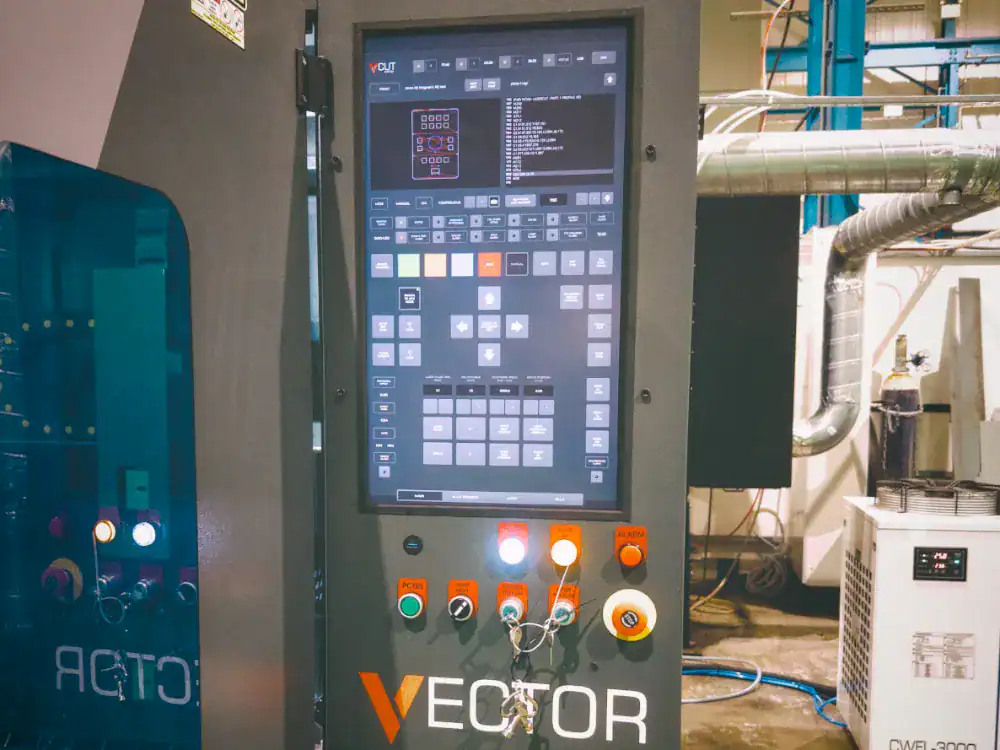
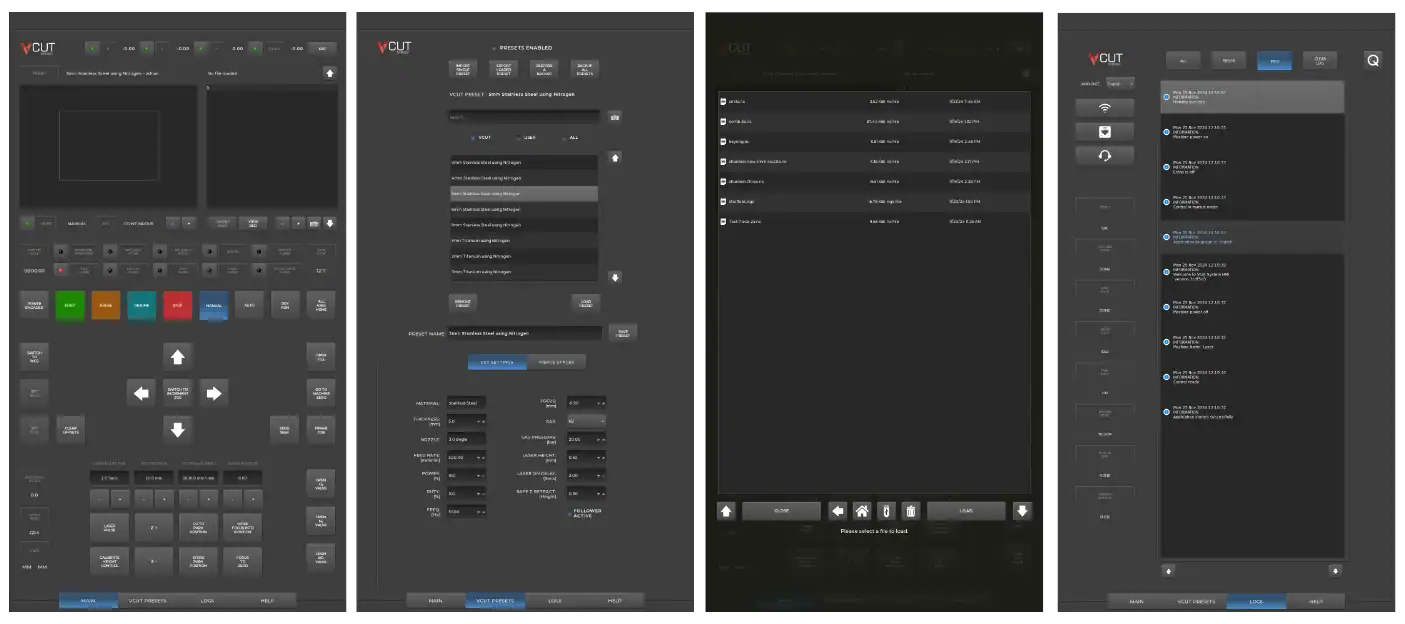
Touchscreen Custom Interface
Developed in-house by our UK R&D – Simple, modern and intuitive for all operators.
Real Time Motion Control
Highly customisable for laser cutting applications, providing industrial-grade reliability
Remote Support
Our engineers can connect securely to your system for troubleshooting and performance checks.
Auto Height Control
Automatically senses and adjusts for surface variations, protecting the cutting head and ensuring consistent quality.
CE and UKCA Safety Performance Standards
created to meet or exceed current CE and UKCA safety and performance standards.
Safety & Diagnostics
Integrated alarms, remote support and system logs.
V-CUT User Interface
FAQ's
What is V-CUT?
V-CUT is a UK-designed touchscreen CNC laser control system used to operate Vector fibre laser cutting machines. It manages machine motion, cutting parameters, real-time monitoring and diagnostics during the cutting process.
What is V-CAM?
V-CAM is the CAM (Computer-Aided Manufacturing) component of the V-CUT software package. Based on Libellula, well known European software developer, it prepares existing CAD drawings for fibre laser cutting through nesting, geometry optimisation and NC code generation.
Is V-CAM a CAD design program?
No. V-CAM is not a full CAD design package. It does not replace CAD software such as AutoCAD, SolidWorks or Fusion. Instead, it is designed to import existing DXF or DWG files and prepare them for efficient laser cutting.
What file formats does V-CAM support?
V-CAM supports all common 2D CAD formats used in laser cutting, including DXF, DWG, AI, SVG and more.
Can V-CAM fix problems with CAD drawings?
Yes. V-CAM includes geometry analysis and repair tools that can automatically detect and correct common issues such as gaps, overlaps and duplicate entities to ensure clean toolpath generation.
Does V-CAM include automatic nesting?
Yes. V-CAM provides automatic and manual nesting tools to optimise sheet usage, reduce material waste and improve production efficiency.
How does V-CAM work with V-CUT?
V-CAM is used to prepare and optimise jobs, while V-CUT runs the machine. Once NC code is generated in V-CAM, it is loaded directly into V-CUT, where cutting parameters, motion control and execution are handled.
Does V-CUT improve cutting quality?
Yes. V-CUT uses advanced motion control algorithms, intelligent pierce control and smooth cut-path handling to improve edge quality, consistency and repeatability across a wide range of metals.
Is the software suitable for beginners?
Yes. While powerful enough for production environments, both V-CUT and V-CAM are designed to be intuitive and easy to learn, significantly reducing operator training time.
Is training provided?
Yes. Operator training is included as part of the system, covering job preparation, safe operation and best-practice cutting workflows.
Is V-CUT developed in the UK?
Yes. V-CUT is developed in the UK specifically for industrial fibre laser cutting for Western markets, with ongoing updates and support provided by the engineering team.
Does the software support remote diagnostics and updates?
Yes. V-CUT includes remote support capabilities, allowing diagnostics, troubleshooting and software updates without the need for on-site visits.
Which machines use V-CUT and V-CAM?
V-CUT and V-CAM are standard across the Vector fibre laser range from FL60 to FL130 with our larger machines in development.