Desktop CO2 laser cutters can be a strong route for classrooms, makers, craft businesses, design studios and small workshops that need controlled cutting and engraving of suitable non-metal materials — without committing to a full workshop floor platform on day one. The right choice still depends on materials, wattage, bed size, extraction, training and support. This guide explains where desktop CO2 fits, what to expect, and when a professional CO2 or fibre laser route is the better next step.
Desktop CO₂ covers classroom cutting and maker workflows — Pro platforms step up when daily production hours outgrow a compact bed. The CO₂ hub positions Desktop against Pro and Large Format, the education machinery page walks funding and warranty options for schools, and the parameter guide for starting cut settings.
What is a desktop CO2 laser cutter?
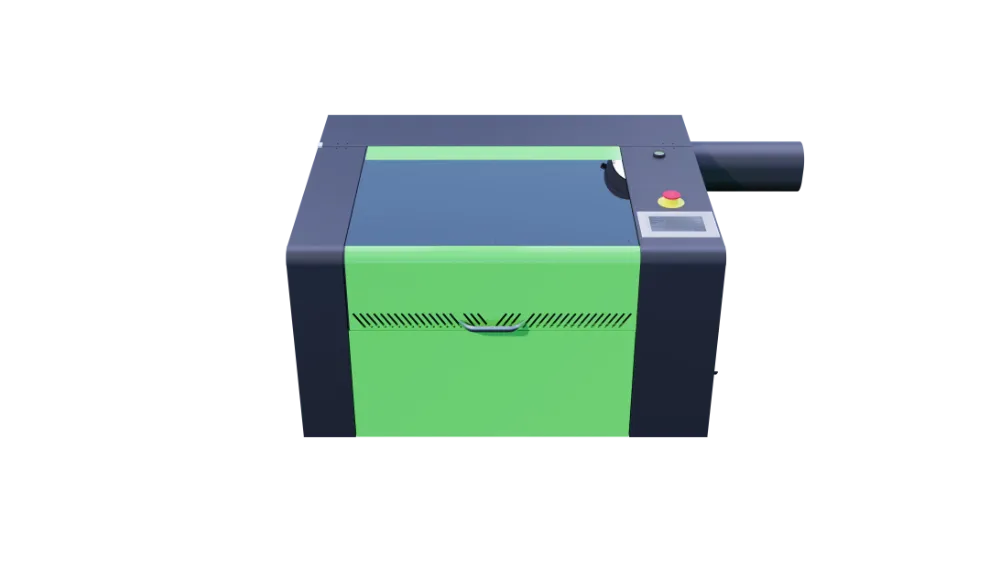
A desktop CO2 laser cutter is a compact cutting and engraving machine that uses a CO2 laser tube to process suitable non-metal materials. It follows programmed toolpaths from design software — cutting outlines, profiling sheet and engraving detail — on a smaller-format bed suited to education, prototyping, craft production and light commercial work.
- Designed for smaller-format non-metal cutting and engraving workflows.
- Used for samples, learning projects, prototyping and creative production.
- Requires proper extraction, safe setup, operator training and material checks.
- Not a substitute for large-format signage production or sheet metal fabrication.
See the Lasertech Desktop product page and compare every live range on the CO2 laser hub.
Who are desktop CO2 lasers best suited to?
- Schools, colleges and training centres running design technology or STEM workshops.
- Universities and makerspaces needing compact laser capability.
- Craft businesses producing acrylic products, gifts and personalised items.
- Makers and design studios prototyping before larger production runs.
- Product development teams testing fit, finish and batch ideas.
- Small sign and display businesses working on samples and compact panels.
- Personalisation and gift businesses engraving and cutting suitable stock.
- Light commercial workshops with controlled daily output on non-metal materials.
Browse sector examples on the applications hub and the education machinery hub for funding, warranty and workshop planning context.
What materials can a desktop CO2 laser work with?
- Acrylic — signage samples, display work and craft products.
- Wood, plywood and MDF — components, templates and workshop sheet.
- Card and paper — packaging prototypes, stencils and creative projects.
- Leather and textiles where appropriate for your application.
- Selected plastics and laminates — verify suitability, fumes and extraction before production.
- Engraving laminates and signage board where the material supplier confirms laser compatibility.
Material suitability must always be checked — especially with plastics, composites and coated stock. CO2 lasers are not the right route for production sheet metal cutting; mild steel, stainless and aluminium fabrication normally belongs on fibre laser platforms.
Why desktop CO2 lasers work well in education
- Accessible digital-design-to-physical-output workflow for students and trainees.
- Prototyping and iterative project work in design technology and STEM programmes.
- Controlled classroom projects when extraction, training and safe operating procedures are in place.
- Compact footprint for departments with limited workshop space.
- Enclosed desktop platforms suit many school and college environments when commissioned correctly.
Plan funding, warranty and department setup on the education machinery hub and read the education warranty plan when kit will live in busy rotating student groups.
Why crafters and makers choose CO2 laser cutters
- Acrylic products — signs, displays, gifts and point-of-sale samples.
- Engraved gifts, awards and personalised items.
- Signage samples and small display components.
- Packaging prototypes and template work.
- Jigs, fixtures and repeat creative production in small batches.
- Repeatable output once parameters are tested — not instant production without setup time.
Desktop CO2 laser or professional CO2 laser?
| Route | Best suited to | Typical consideration |
|---|---|---|
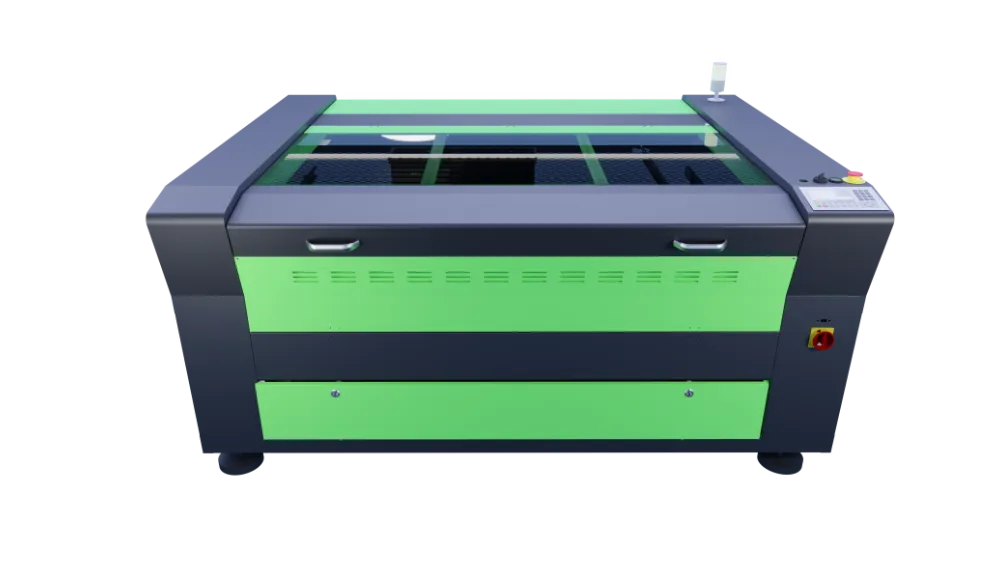
| Lasertech Desktop | Education, craft, makerspaces, prototyping and compact workshop output | Smaller bed, enclosed classroom-scale workflow — Lasertech 3050 Desktop with 500 × 300 mm working area and 80W RECI tube on the product page |
| Lasertech Pro | Daily workshop signage, display and fabrication on larger beds | Step up when sheet sizes or daily run hours outgrow desktop capacity |
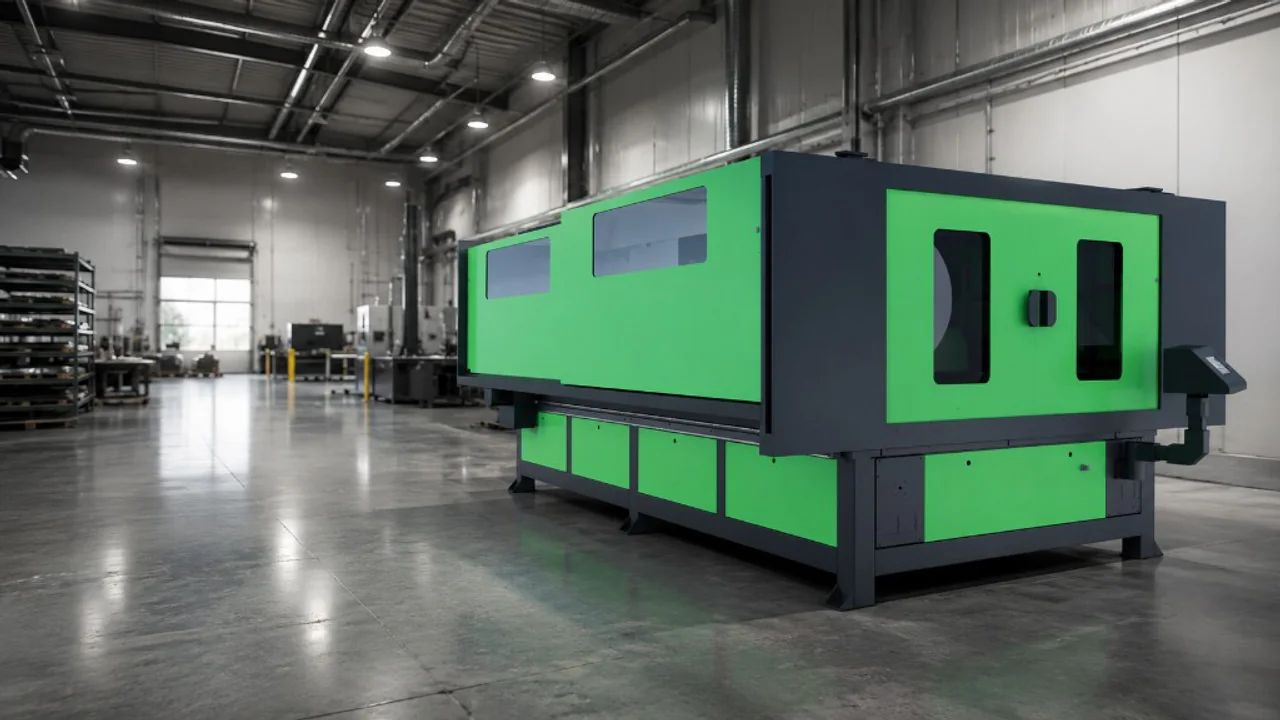
| Lasertech Large Format | Oversized signage, display production and high-volume non-metal sheet | For repeat commercial sheet work — not the default first machine for a classroom or craft studio |
Compare platforms on the Lasertech Pro and Lasertech Large Format product pages when your quoting has outgrown desktop scope.
What wattage and bed size should you consider?
Wattage affects cutting capability and productivity on non-metal materials; bed size affects the largest project you can nest without repositioning. Higher wattage or a larger format is not automatically better — the right choice depends on your everyday materials, sheet sizes and daily workload. Lasertech Desktop is supplied with an 80W RECI tube as standard; Pro and Large Format routes add optional higher-power tiers for workshop and production quoting.
Work through rated power and platform fit in the CO2 wattage guide and the 5-things CO2 choosing guide before you fix budget.
Setup considerations before buying
- Extraction and filtration — plan safe fume and particulate management from install day.
- Cooling and chiller requirements — confirm what your chosen platform needs before delivery.
- Software and control workflow — Lasertech Desktop includes Lightburn; allow time to learn CAM and nesting.
- Material testing — run sample cuts on your stock before committing to customer work.
- Operator training and classroom supervision procedures.
- Workshop location, power and delivery access.
- Maintenance and servicing — tube life, optics, alignment and scheduled checks.
- UK support and backup after handover.
Read the CO2 maintenance guide, dial starting settings in the parameter guide and review ownership costs in how much a CO2 laser costs in the UK — without treating headline price as the only decision factor.
When to choose fibre laser instead
CO2 laser cutters excel on non-metal cutting and engraving workflows — acrylic, timber, board, card and many workshop materials. Fibre laser is the route for suitable metals and production sheet metal fabrication. If your quoting is dominated by mild steel, stainless or aluminium sheet, compare fibre platforms rather than upsizing CO2 power alone.
Read fibre vs CO2 for sheet metal, the fibre laser vs CO2 laser guide and browse the fibre laser hub when metal work is central to your plans.
How Mantech supports education and craft buyers
Mantech supplies Lasertech Desktop, Pro and Large Format CO2 platforms with UK delivery, installation, operator training and nationwide engineer support from Halesowen. Education departments receive application-led advice on platform matching, extraction planning and safe handover — not a crate on the floor without commissioning.
Call 0121 541 1444 with sample files and workshop dimensions, or request a demo through the Lasertech Desktop product page when you are ready to compare routes.
Useful next reads
- CO2 laser hub
Compare Desktop, Pro and Large Format routes in one place.
- CO2 wattage guide
Match rated tube power to everyday material and production hours.
- Education machinery hub
Funding, warranty and workshop planning for schools and colleges.
- 5-things CO2 choosing guide
Material, bed size, extraction, software and support checklist.
- CO2 maintenance guide
Tube life, optics, alignment and scheduled workshop checks.
- Fibre vs CO2 for sheet metal
Clear route when metal cutting dominates your quoting.
Frequently asked questions
What is a desktop CO2 laser cutter used for?
Cutting and engraving suitable non-metal materials on a compact bed — education projects, craft products, acrylic samples, prototypes, templates and light commercial work. It follows programmed toolpaths from design software and needs proper extraction, training and material checks.
Are desktop CO2 laser cutters suitable for schools?
Many schools and colleges use enclosed desktop CO2 platforms for design technology and STEM work when extraction, training and safe operating procedures are planned. Match bed size and wattage to department projects and compare Pro routes if daily production hours grow.
What materials can a desktop CO2 laser cut?
Common non-metal stock includes acrylic, wood, MDF, card, paper, leather, textiles and selected plastics where verified. Always confirm material suitability and extraction requirements — especially with plastics. Production sheet metal is not a CO2 route.
Can a desktop CO2 laser cut metal?
No — desktop CO2 lasers are for non-metal cutting and engraving workflows. Mild steel, stainless and aluminium sheet fabrication normally belongs on fibre laser platforms. Read the fibre vs CO2 guides when metal dominates your quoting.
Should I choose a desktop or professional CO2 laser cutter?
Desktop suits education, craft, makerspaces and compact workshop output. Step up to Lasertech Pro or Large Format when sheet sizes, daily run hours or commercial production demand outgrow a classroom-scale bed. Start on the CO2 hub and wattage guide with your everyday nest files.